

In development · Version 8
Understanding lab results
From lab report to plate – in one click.
Food Secrets explains every value in plain words, with the normal range of your lab. Then the app shows which foods contain a lot of the related nutrients – and, if you want, sorts ranking, recipes and weekly plan by them. The report stays encrypted on your phone.

Screens from the development build, with a made-up sample report.
How it works
Four steps, one click

1 · Capture the report
Paste the text from the PDF or type the values – from most labs, in ten languages.

2 · Check
You confirm every line that was read. Nothing is saved before that.

3 · Understand
Values your lab marks as low or high come first – with your lab's range and one clear sentence.

4 · On the plate
One click sorts ranking, recipes and weekly plan by the nutrients related to your values – if you want.
From lab value straight to the kitchen
For every suggested food, one click on “…” opens the same actions as the food table:

Find recipes
Find recipes with this food and add them to the app.

Into the weekly plan
Plan the food for a day straight away.

Onto the shopping list
One click puts it on the list for your next shop.

Save and compare
Save it as a favourite or compare it with another food.
What you see
Clear, calm, at a glance
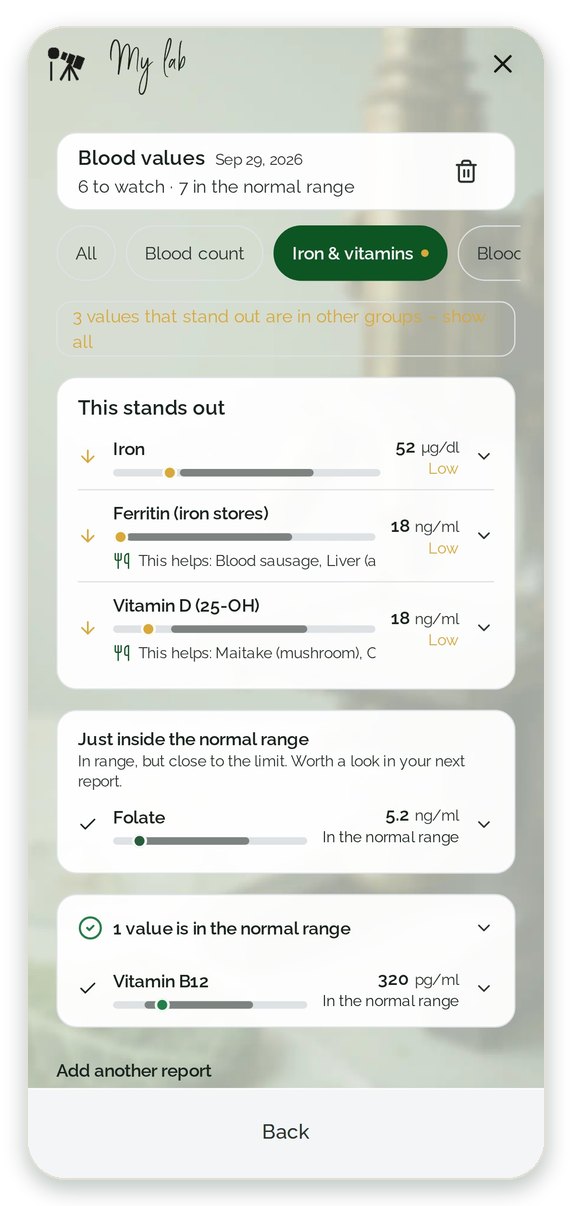
What stands out – first
Low or high, as your lab rates it. Everything in the normal range comes below.
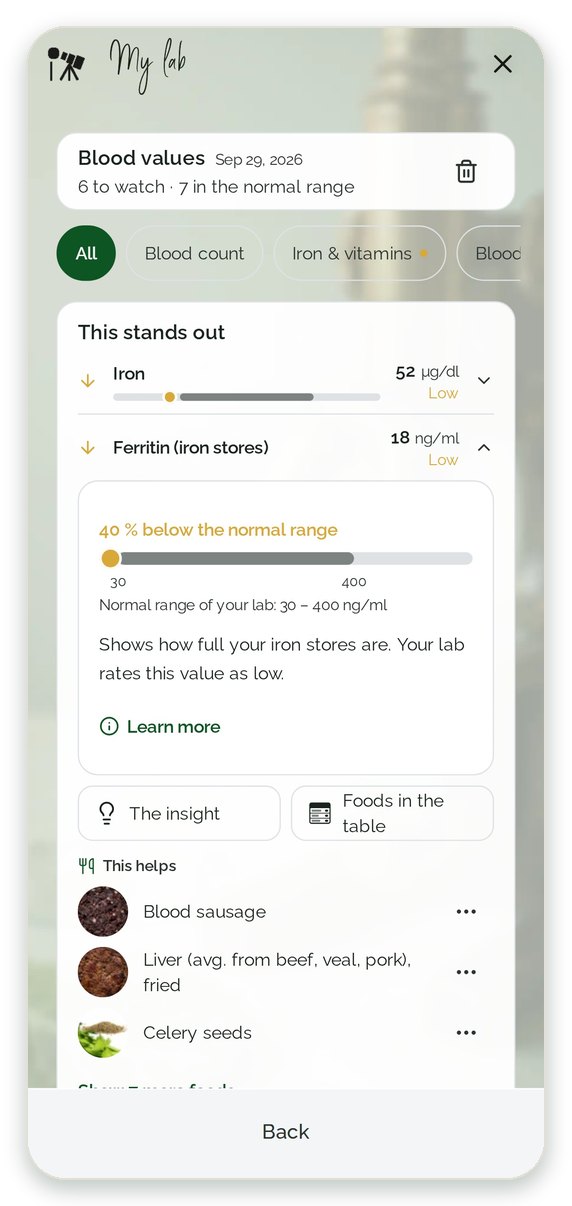
One value, one sentence
Your lab's range, the distance to it, and foods that contain a lot of the related nutrient.
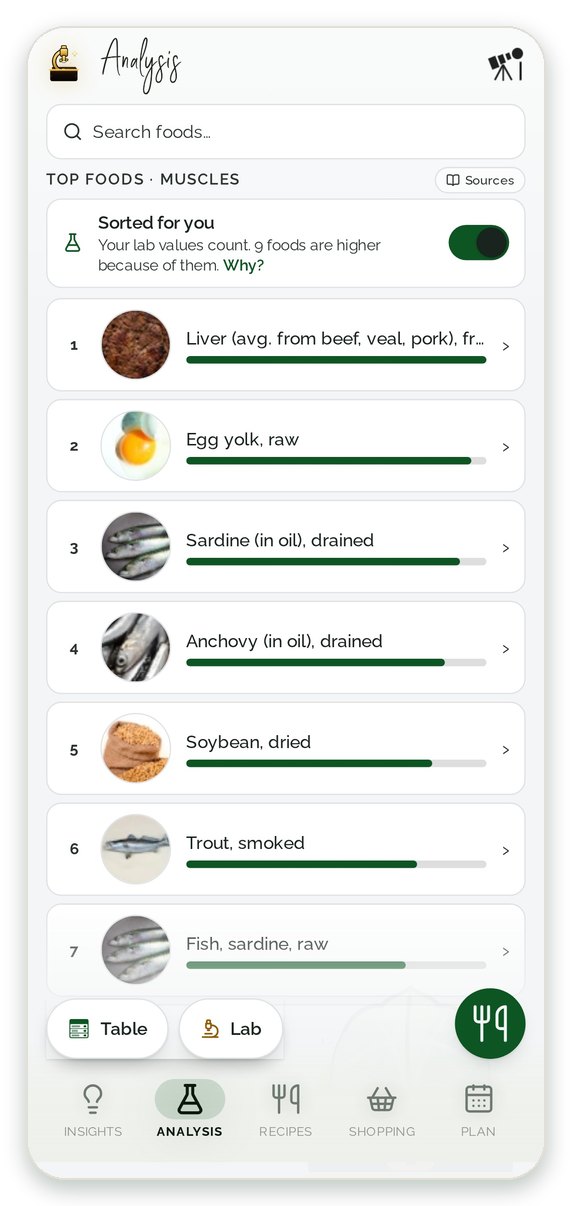
Sorted for you
Your values count in ranking, recipes and plan – with “Why?” and a switch back.
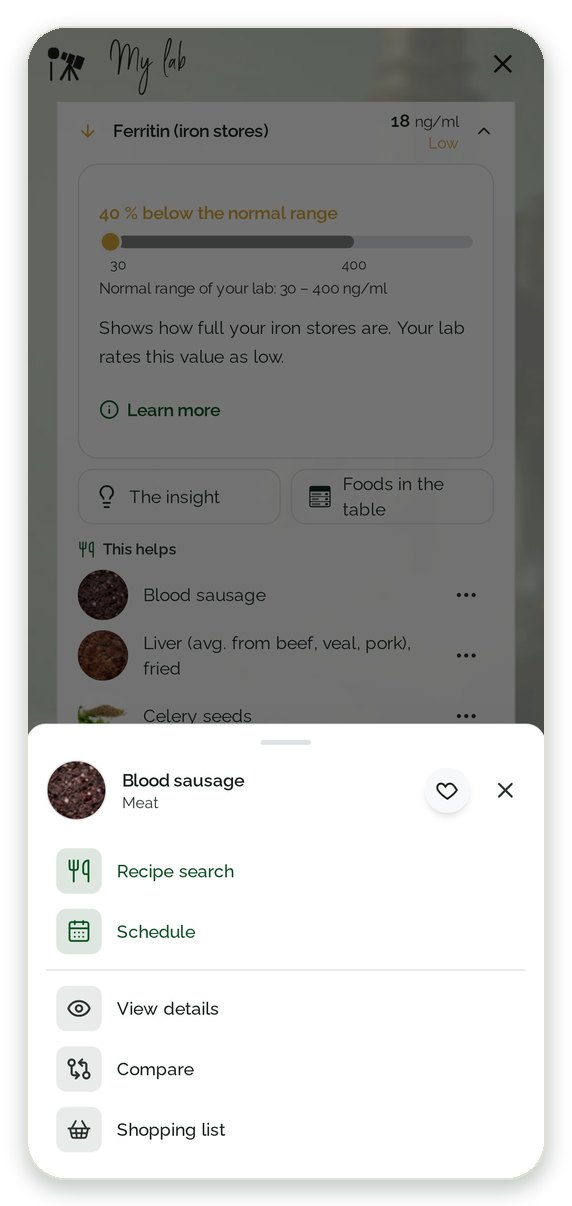
Straight to kitchen and plan
One click on “…”: find recipes, plan it, add it to the shopping list, save or compare.
Safe and clearly limited
What the app does – and what it doesn't

No diagnosis
No dosage, no supplements, no treatment. Talk about values outside the range with your doctor.
Status from your lab
“Low” or “high” comes only from your report. Where it has no range, the app shows a general one for comparison only – with no status.

Every suggestion with a reason
You see which value moves a food up – with a source.

Your data stays with you
Encrypted on your phone, only with consent, deleted with one click.
You work with lab results?
For physicians, clinics, nutrition counselling and laboratories, a separate page shows what the lab feature brings them – and what a free pilot looks like.
FAQ – lab results in the Food Secrets app
Does the app make a diagnosis?
No. The app takes your lab's status (“low”, “in range”, “high”), explains the value in plain words and shows foods rich in the related nutrient. Talk about unusual values with your doctor.
Which lab reports can I use?
Reports from most labs, in ten languages. At launch these are blood values such as blood count, iron, vitamins, blood lipids, blood sugar, CRP and minerals. Microbiome tests follow with our lab partner.
Where are my lab values stored?
Encrypted on your phone, in a separate vault per account. Values you type or paste from a report do not go to our servers, into statistics or to third parties. Microbiome results from our lab partner are fetched encrypted through our server, which neither stores nor logs them. You can share only if you trigger it yourself. You can delete everything at any time.
When will the feature be available?
It is in development and comes with version 8 of the app. Before that we test its use with pilot partners from nutrition counselling and medicine and have data protection and legal aspects reviewed independently.
Can I share the values with my nutrition counsellor?
That is planned: you pass on an overview of your values, the suitable foods and your plan yourself. Later, a direct link to your professional is planned too – always with your consent and revocable at any time. The overview is a PDF file without encryption – you decide whom you give it to.