

Food Secrets Version 6 — AI recipe import, recipe scanner & smart features
You browse a cookbook, find the perfect recipe — and laboriously type it out? You're standing in the supermarket searching for the ingredients all over the place? That's history from now on. With Food Secrets Version 6 we bring you four new features that make your everyday nutrition genuinely easier — from recipe discovery to the shopping list.
AI recipe import — any recipe in your app
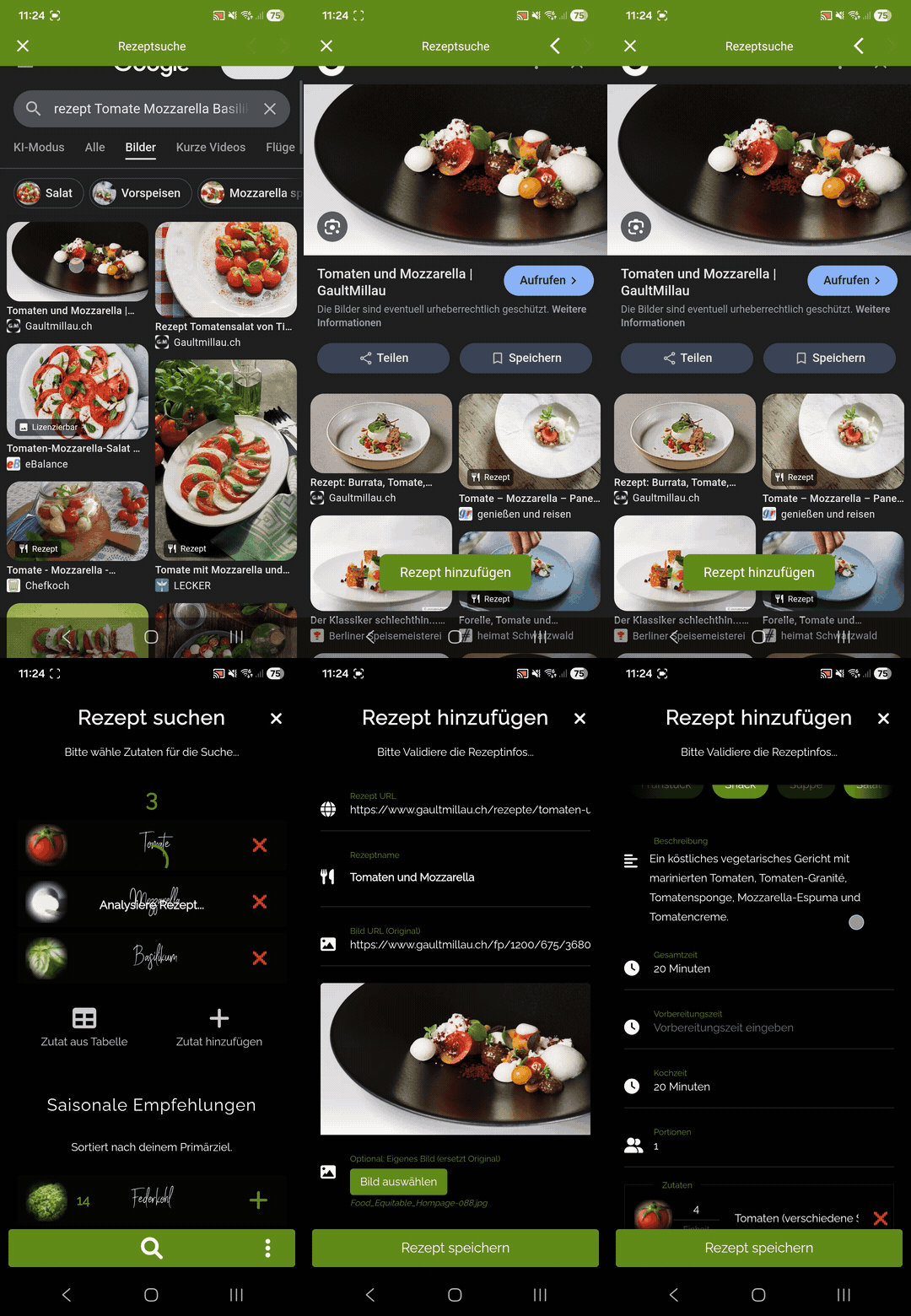
You find a great recipe on a food website or blog? Just copy the link and paste it into Food Secrets — our AI automatically recognises ingredients, amounts and preparation steps. The import works with recipe pages and delivers a high success rate.
What's special: every imported recipe is instantly linked to our extensive food and nutrient database. You see the most important nutrients per ingredient at a glance — and with one tap you can add all ingredients to the shopping list or, with another tap, create a meal plan.
▶ How the AI recipe import works
Open app > Add recipe > via search / link
AI recipe scanner — from the cookbook straight into the app
Not every recipe is online. That's why we developed the AI recipe scanner: simply photograph the recipe page from your cookbook or a magazine — the app recognises the text and imports the recipe automatically. Multi-page recipes are supported too — just photograph all the pages one after another.
Scanned recipes are also fully linked to the nutrient database. So your favourite cookbook recipes become digital, analysed recipes with all the app features — including nutrient analysis, shopping list and meal planning.
▶ How the AI recipe scanner works
Open app > Add recipe > via camera

Smart shopping list — intelligently sorted by aisle
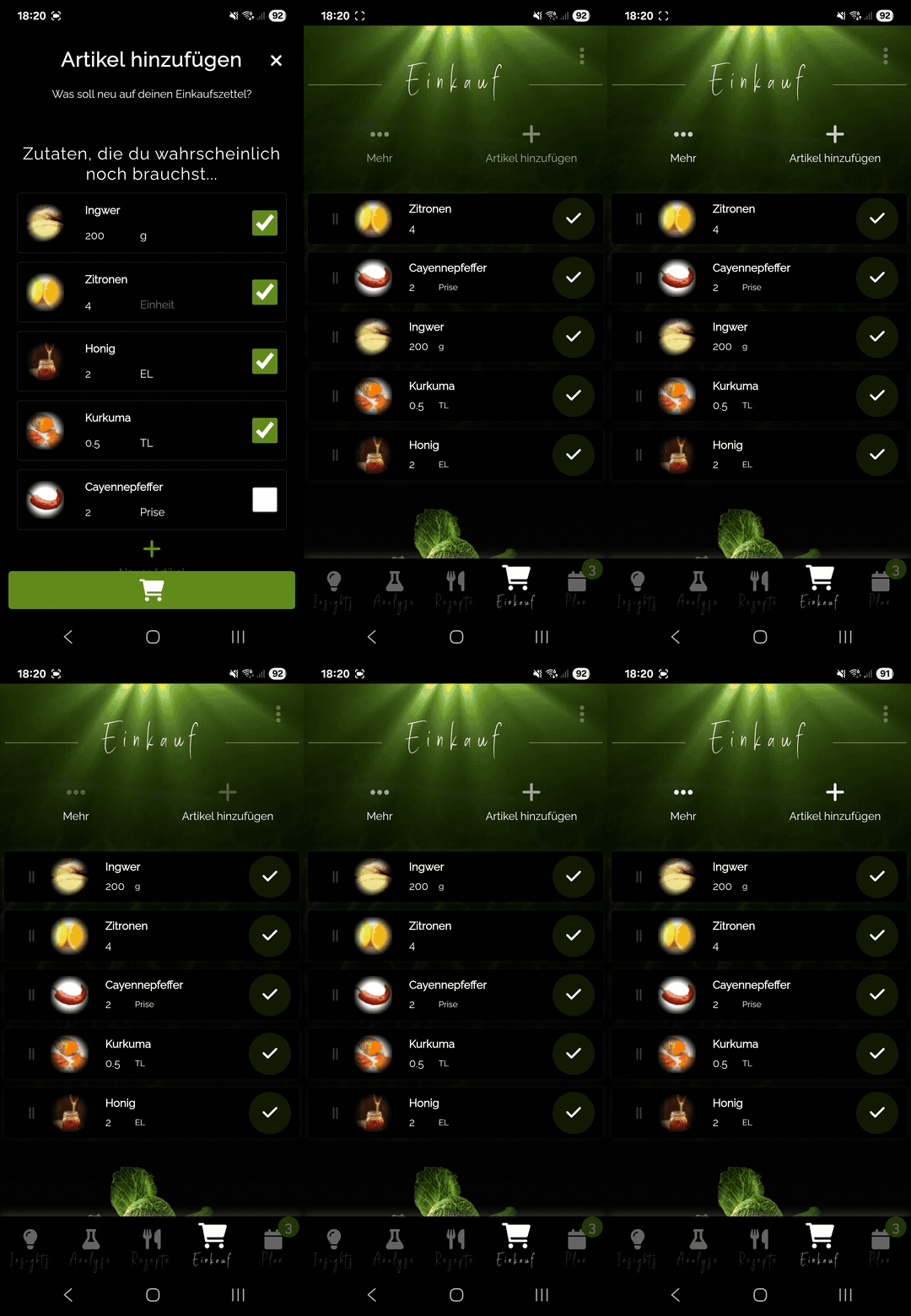
The shopping list has always been one of Food Secrets' most popular features. In Version 6 it gets even better: all ingredients are now automatically sorted by supermarket aisle — fruit & veg, dairy, spices, frozen and more.
That saves time and nerves while shopping. No more zigzagging through the store, no more forgetting ingredients in the wrong corner. Simply pick a recipe, tap „Add to shopping list“ — and all ingredients are sorted and ready with one click.

▶ How the smart shopping list works
Seasonal recipe search — matched to season and health goal
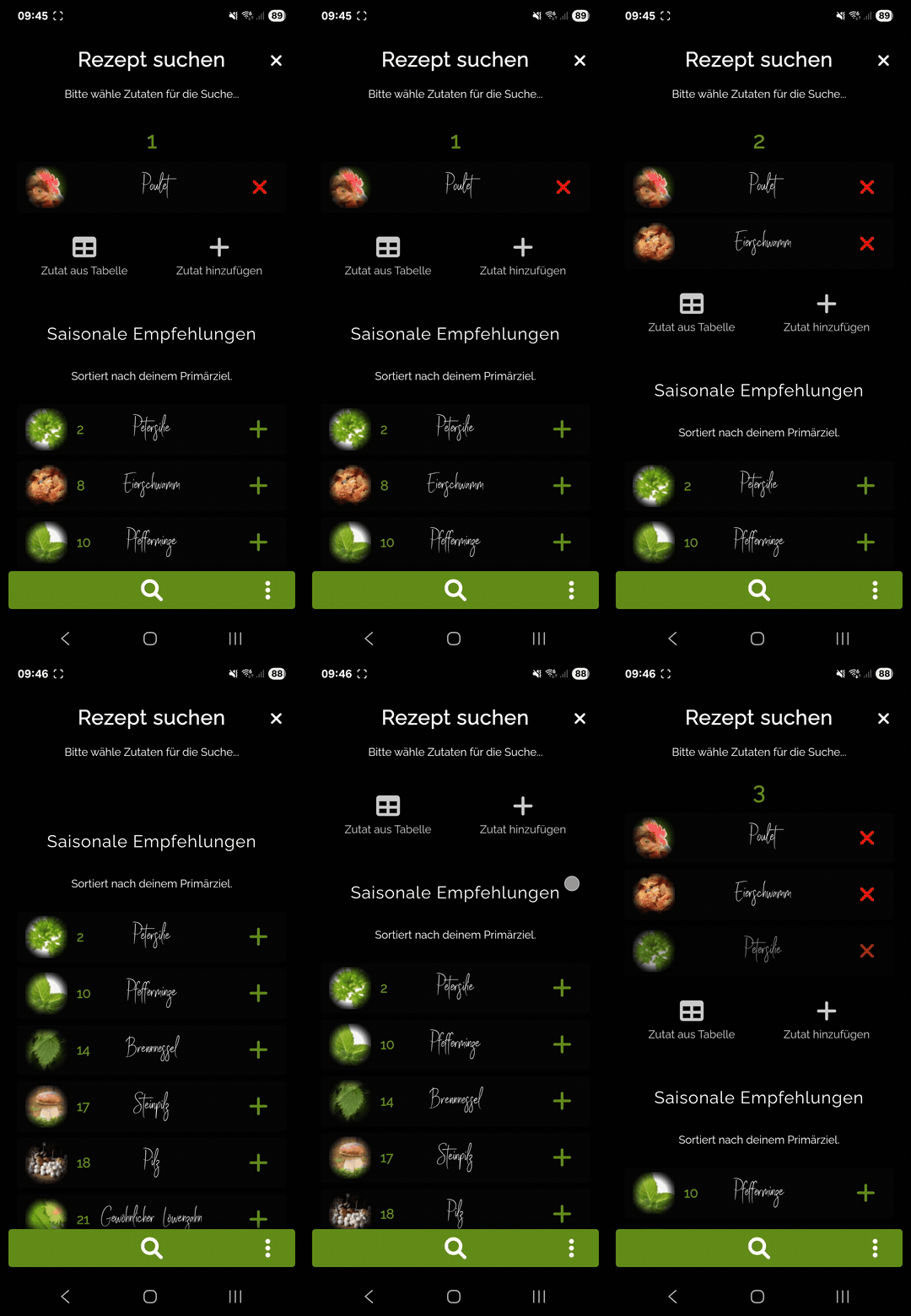
Strawberries in winter? Pumpkin in summer? The new seasonal recipe search shows you recipes that match the current season — and are at the same time aligned with your personal primary goal.
Whether you want to strengthen your immune system, eat anti-inflammatory or lose weight — the app shows you the best seasonal recipes that fit your goal exactly. So you eat not only fresher and cheaper, but also healthier.

▶ How the seasonal recipe search works
AI recipe import
Paste a link → recipe imported. Works with recipe websites and food blogs.
AI recipe scanner
Photograph a cookbook → recipe in the app. Multi-page recipes are recognised too.
Smart shopping list
1 tap → ingredients on the list. Automatically sorted by supermarket aisle.
Seasonal recipe search
Recipes matched to the season and your health goal. Fresher, cheaper, healthier.
FAQ — Food Secrets Version 6
Which recipe sources does the AI recipe import support?
The AI recipe import works with many recipe websites and food blogs. Simply copy the link to the recipe and paste it into the app. Our AI then recognises the ingredients, amounts and preparation steps automatically.
Can the recipe scanner also recognise multi-page recipes?
Yes! The AI recipe scanner supports multi-page recipes. Simply photograph all the pages one after another — the app recognises the text and assembles the complete recipe. Printed recipes from cookbooks and magazines work best.
How do I add ingredients to the shopping list?
It's easy: open an imported or scanned recipe and tap „Add to shopping list“ — with one click all ingredients land sorted on your list. With another click you can create a meal plan for the recipe straight away.
What does "seasonal recipe search by primary goal" mean?
In the app you set your personal health goal (e.g. strengthen your immune system, lose weight, build muscle). The seasonal recipe search then shows you recipes that use seasonal ingredients AND fit your goal optimally — based on the scientific Food Rankings.
Are the new features free?
Some of the new Version 6 features can be tried for free. For the full feature set — including unlimited recipe imports and advanced analysis — the Premium version is available.
Try Food Secrets Version 6 now
Import your first recipe in under 10 seconds — and experience how easy healthy nutrition can be.